Skip to content
666p1 Sports / Live
LIVE LOBBY

666p1 — Account Control and Local Payment Access for Pakistan

Your account wallet, live tables, slots and cricket sportsbook are all reachable from a single login — with Raast, Bank Transfer and Debit Card ready at the deposit step, where local law and eligible regions permit.

JazzCash Easypaisa Raast
Browse games
CONTENT / 01

Crash or Cash, Baccarat Diamond and Live Cricket Bet

Three titles that members open consistently sit at different ends of the lobby. Crash or Cash is a crash-format game where the multiplier climbs from the start of each round and you choose when to collect — the mechanic is visible on screen throughout every round, with no hidden state. Baccarat Diamond runs on a live-dealer table where the physical card deal is streamed in real time; the result is determined by the cards drawn, and the payout for a winning hand is credited directly to your wallet.

  • Crash or Cash

    A crash-format game where you watch the multiplier rise from the start of each round and decide when to collect. The current multiplier is displayed on screen in real time — there is no hidden state — and the round ends when the crash point is reached.

  • Baccarat Diamond

    A live-dealer Baccarat table where the card deal is streamed from a physical studio. Results follow standard Baccarat rules, and a winning hand pays directly to your account wallet once the round is resolved — no manual claim is needed.

  • Live Cricket Bet

    Cricket betting within the live section, with markets that update as match conditions change. The bet slip reflects the odds at the moment you confirm your selection — review the displayed price before submitting any stake from your wallet.

666P1
Mobile casino lobby
Popular Live Slots
Roulette BlazeSpin Spinner Ladki Football BetBonus
MOBILE LOBBY

Built for phones, clear on desktop

Cards, tables, FAQ and policy pages stay easy to read on smaller screens.

  • Quick categories
  • Mobile first
  • Access
App
CONTENT / 03

Your Account Dashboard Stays With You on Mobile

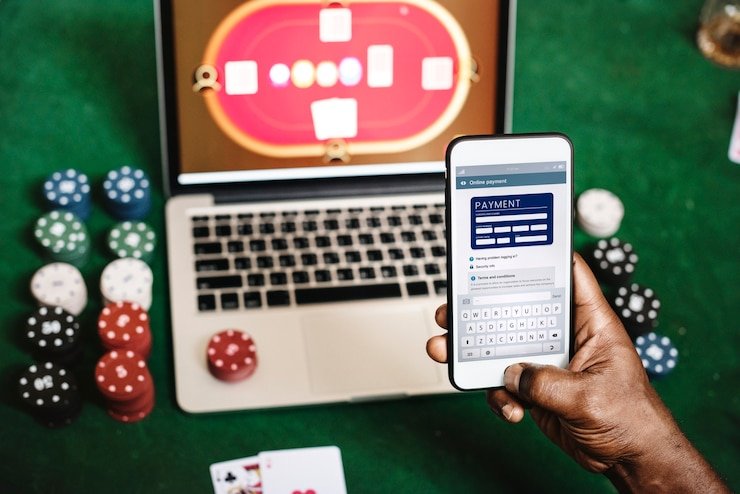
The payment section, where you initiate a Raast transfer or link a Debit Card, loads as a full-screen panel rather than a squeezed sub-menu. If you start a deposit on your phone and need to verify details on a wider screen, the session carries over without logging you out. Your wallet state is consistent across devices — whatever amount is shown on mobile matches exactly what appears on desktop. Account notifications, including deposit confirmations and wallet credits, arrive in the same panel regardless of which screen you are using. This consistent cross-device behaviour means you can check a payment receipt on your phone mid-session and carry on without interruption.

  • Your Account Dashboard Stays With You on Mobile

    When you open 666p1 on a mobile screen, the account dashboard adjusts its layout so every key control — wallet balance, deposit history, transaction records and support chat — sits within one tap.

  • The navigation bar collapses neatly, and the lobby tiles restack into a

    The navigation bar collapses neatly, and the lobby tiles restack into a single swipeable column.

  • You do not need to zoom or scroll sideways to reach your transaction log

    You do not need to zoom or scroll sideways to reach your transaction log or raise a support query.

ACCOUNT PATH

Four Steps From the Homepage to Your First Deposit

Starting on the 666p1 home page, you will see the account creation link in the top navigation bar. Follow it, fill in the registration fields shown on screen — the form tells you exactly which details are required — and confirm your contact information using the verification method displayed at that step. Once your account is active, head to the wallet section. The deposit panel shows the payment methods available for your region: Raast, Bank Transfer and Debit Card are listed with their individual fields, limits and any instructions the payment provider requires.

  1. Create Your Account

    Open the registration page from the home navigation bar and complete the fields shown. The form specifies exactly which details are needed and guides you through each required input without guesswork.

  2. Verify Your Contact

    Confirm your contact information using the verification method displayed at the registration step. This links your account to a recoverable identity so that wallet access and support requests can be handled securely.

  3. Add Funds via Raast or Bank Transfer

    Go to the wallet section and select your preferred deposit method. Raast, Bank Transfer and Debit Card are each listed with their fields, required details and any instructions your payment provider specifies at that step.

  4. Explore the Lobby

    With your wallet funded, the full lobby is available — live casino tables, slots from Joker and CQ9, and the cricket sportsbook. Your current wallet balance appears in the header on every page so you always know where you stand.

MEMBER DESK / 06

Offers, support and account controls

01

Game lobby

02

Support

LOCAL PAYMENTS

Raast, Bank Transfer and Debit Card at the Wallet Step

The payment section inside your 666p1 account lists the methods available for your region at the time of your deposit. For Pakistan, three verified rails are configured: Raast, Bank Transfer and Debit Card. Each is presented with its own input panel — you see the required fields, minimum and maximum amounts, and any instructions the payment rail specifies, all on the same screen. There is no need to consult an external page to understand what information to provide; every field carries a label that tells you what to enter. Raast transfers connect directly to your linked Pakistan bank account via the national payment infrastructure, so the deposit journey stays within familiar territory.

  • Raast

    Raast connects your 666p1 wallet directly to your Pakistan bank account through the national payment system. The deposit panel shows the required Raast fields and any verification steps your linked account needs before the transfer is submitted.

  • Bank Transfer

    Bank Transfer lets you initiate a deposit from your own banking application using standard inter-bank routing. The payment panel displays the destination details and reference information you need to match the transfer to your 666p1 wallet.

  • Debit Card

    Debit Card deposits are completed directly in the payment panel. Enter your card details in the sequence shown, confirm the amount within the displayed range, and the transaction is processed through the card network linked to your Pakistan bank account.

JazzCash Pakistan payment context
Easypaisa Pakistan payment context
Raast Pakistan payment context
DISCOVER / 01

Choose your game

Full lobby
GAME NETWORK
Joker
CQ9
Microgaming
JDB
CONTENT / 04

666p1 lobby studios

The 666p1 lobby carries content from Joker, CQ9, Microgaming, JDB. To check the studio, rules or features of one specific game, open that game card or the published information panel.

  • Joker

  • CQ9

  • Microgaming

  • JDB

HELP AND CONTACT

Support Routes Available From Inside Your Account

Support at 666p1 is structured around your account rather than a separate contact portal. The live chat entry point is visible from the account dashboard and from the wallet page — you do not need to navigate to a different part of the site to start a conversation. This placement matters when a payment query comes up mid-session: you can open the chat from exactly the screen where the issue appears, and the support agent can reference your account status directly without requiring you to describe context from scratch.

  • Live Chat from Dashboard

    The live chat button is positioned on both the account dashboard and the wallet page. You can raise a payment query or account question from the exact screen where the issue appears, without navigating to a separate contact section or repeating context.

  • Message and Email Route

    For non-urgent queries, the support section offers a message or email channel where you can describe the issue in your own time, attach a screenshot of a transaction or error, and receive a detailed reply to your account contact address.

  • Account Help at Login

    If you cannot access your account, the help section on the login page covers password recovery and unrecognised device steps without requiring you to be authenticated. Each step is described with the specific fields you need to complete.

ACCOUNT OFFERS

What Is Currently Running Appears in Your Account Dashboard

Any offer or information active on your account is shown in the dashboard after you log in — not on a static page that may be out of date. The dashboard reflects the current state of your account, including any credit or gameplay that has been applied to your wallet.

Login
FEATURE BRIEF / 05

Cricket Betting Markets Inside the 666p1 Sportsbook

Cricket is the sportsbook category that Pakistan members open most consistently, and the sportsbook section reflects that. PSL matches and international cricket fixtures appear in the live and upcoming markets, with bet types covering match result, innings totals and other standard cricket markets.

Game feature guide
  • Live Cricket Markets

    Cricket markets update in real time during a live match. The bet slip shows the current odds at the moment you confirm your selection — review the displayed price carefully before submitting, as live prices move with the match situation.

  • PSL and International Fixtures

    PSL matches and international cricket fixtures appear in both the upcoming and live sections of the sportsbook. Fixture availability depends on the match schedule and the markets the sportsbook has open for that event at the time you visit.

  • Settled Bet History

    All settled sportsbook bets are recorded in your bet history with the result, the confirmed odds and the amount credited to your wallet. Access the history from the sportsbook section of your account — no separate navigation is required.

ACCOUNT TRUST

Account Security, Wallet Accuracy and Regional Access

Credibility at 666p1 rests on four operational commitments: accurate wallet records, clear account controls, transparent payment labelling and honest regional access communication. Your wallet balance is updated after each transaction clears — there is no delay between a confirmed deposit and the balance appearing in your header. Account settings give you direct control over your password, linked contact details and notification preferences without requiring a support request for standard changes.

  • Wallet Accuracy

    Your wallet balance updates after each confirmed transaction. Deposit entries, wallet credits and any deductions are each labelled in the transaction log with method, amount, status and timestamp — allowing you to reconcile against your Raast or bank statement without relying on support to describe the record.

  • Account Control

    Password changes, linked contact details and notification settings are managed directly in the account settings panel after login. Standard account changes do not require a support request — the settings panel is designed to handle these independently without routing you through an agent.

  • Clear Payment Labelling

    Every transaction in your wallet history carries a label identifying the payment method used — Raast, Bank Transfer or Debit Card — alongside the amount, direction and processing status. This makes cross-referencing with your own bank records straightforward and reduces the need to raise a support query for routine reconciliation.

  • Regional Access Transparency

    Access to the platform, its games and payment methods depends on local law and the eligible regions configured for your account. We state this clearly on the account page and in the payment section rather than implying access where it has not been confirmed for your region.

PLAYER INDEX / 07

Game Mechanics and Lobby Terms Explained

These definitions cover the game-mechanic terms you will encounter in the 666p1 lobby — particularly for slots, crash games and live dealer tables. Each term is defined as it applies to the type of game where you will see it.

Player guide and glossary
  • What is a bonus round in a slot game?

    A bonus round is a secondary game feature triggered by specific symbol combinations on the reels. It operates differently from the base game — common formats include a pick-style selection screen or a set of feature spins with modified reel behaviour. The bonus round rules for each title are described on that game's detail page within the lobby.

  • What does RTP mean and where do I find it?

    RTP stands for Return to Player and represents the theoretical percentage of wagered amounts a game returns to players over a large number of rounds. It is a long-run statistical figure, not a session guarantee. We display RTP only on the game page where the studio or provider has published the figure — we do not generate or estimate values that have not been provided by the developer.

  • What is a crash game and how does the multiplier work?

    A crash game starts each round with a multiplier at its base value. The multiplier rises continuously from the start of the round. You choose when to collect your stake multiplied by the current figure before the round ends. If you do not collect before the crash point, the round closes without a payout. Crash or Cash is the crash-format title currently in the 666p1 lobby.

  • What is a live dealer table?

    A live dealer table streams the game from a physical studio where a real dealer manages the cards or wheel. The result is determined by the physical action — card draw for Baccarat Diamond, for example — and is not generated by a random number algorithm. The stream and results are visible on your screen in real time throughout each round.

  • What is a scatter symbol?

    A scatter symbol pays or triggers a feature regardless of its position on the reels — it does not need to appear on a consecutive payline from left to right. The specific behaviour of scatter symbols varies by slot title. The game page for each slot in the lobby describes what the scatter does in that particular game.

  • What is a jackpot in a slot context?

    A jackpot is the top prize available in a slot game, reached by a rare symbol combination or a progressive prize accumulation depending on the game format. It is a game mechanic, not a platform promise. Whether a title carries a jackpot mechanic and what triggers it is described on the individual game page within the lobby.

  • What are feature spins in a slot?

    Feature spins are a mechanic within a slot's bonus round where the reels spin under modified conditions — such as expanded symbols, multiplied prizes or locked positions. They are triggered by the game's own rules, typically by a scatter combination. The specific feature-spin format for any title is documented on that game's lobby page.

EXPLORE FURTHER / 04

Explore detailed guides

Local lobby check

LOBBY / 02

One mobile lobby, distinct game areas

Roulette BlazeSpin Live Roulette BlazeSpin Access → Spinner Ladki Slots Spinner Ladki Access → Football BetBonus Sports Football BetBonus Access → Crash or Cash Slots Crash or Cash Access → Baccarat Diamond Live Baccarat Diamond Access → Live Cricket Bet Live Live Cricket Bet Access →
QUICK ANSWERS

Frequently asked questions

These answers cover the questions members most frequently ask about account access, wallet management, payment methods and support routes on 666p1. For anything not covered here, the support chat on your account dashboard is the direct route.

Read FAQ →
How do I deposit using Raast on 666p1?

Log in and go to the wallet section. Select Raast from the payment method list. The deposit panel shows the required fields — your Raast-linked account details and the amount you want to transfer, within the displayed range. Complete the transfer using the verification your Raast account requires. Once the transfer clears, the amount appears in your wallet balance and the transaction log records the entry with a timestamp. Access to Raast depends on your region and local law.

What do I do if my deposit is not showing in my wallet?

Check your transaction log in the wallet section first. Each deposit entry shows its current status — confirmed, pending or failed — alongside the method used and the timestamp. If the status shows pending for longer than you expect, open the support chat from the wallet page. The agent can view your account's transaction record directly and does not need you to repeat the payment details you can already see on screen.

How do I recover access to my account if I have forgotten my password?

From the login page, select the account help or password recovery option shown below the login fields. The recovery process uses the contact details you registered — follow the verification steps described on screen. Each field label tells you what to enter. If you no longer have access to the contact method on file, the support chat accessible from the login page can guide you through the identity verification steps needed to update your contact details.

Can I use a Debit Card to deposit on 666p1?

Yes, where your account region is configured for Debit Card deposits. Go to the wallet section, select Debit Card from the payment panel, and enter your card details in the sequence shown. The form handles the entry step by step and confirms the amount before you submit. Availability depends on local law and the eligible regions active for your account at the time of deposit.

Where do I find the games lobby after logging in?

The lobby is accessible from the main navigation bar that appears after you log in. It is organised by category — slots, live casino and sportsbook each have their own section. You can also use the provider filter to browse titles from Joker, CQ9, Microgaming or JDB specifically. Your wallet balance is visible in the header throughout the lobby so you do not need to navigate away to check your funds before opening a game.

How do I change my account password or contact details?

Go to the account settings panel after you log in. Password changes and contact detail updates are handled directly from the settings page — each field shows what information is required and what verification step applies. Standard changes do not require a support request. If you encounter an error during an update, the support chat from the settings page is the fastest way to get the specific field issue resolved.

Is cricket betting available on 666p1?

Cricket markets are available in the sportsbook section, where availability depends on local law and the eligible regions configured for your account. PSL and international cricket fixtures appear in both upcoming and live sections. Odds shown on the bet slip reflect the current price at the time you view the market — live prices update as match conditions change, so review the slip before confirming any selection.

How do I contact support if I have a problem during a game session?

The live chat button is accessible from the account dashboard and from the wallet page — you do not need to exit the lobby to open a support query. For non-urgent issues, the message or email route in the support section lets you describe the problem and attach a screenshot at a time that suits you. Either route connects to the same support team, which has access to your account record.

READY WHEN YOU ARE

666p1 game lobby

Access may be available only where local law permits.

Register Login